POS & floor plan
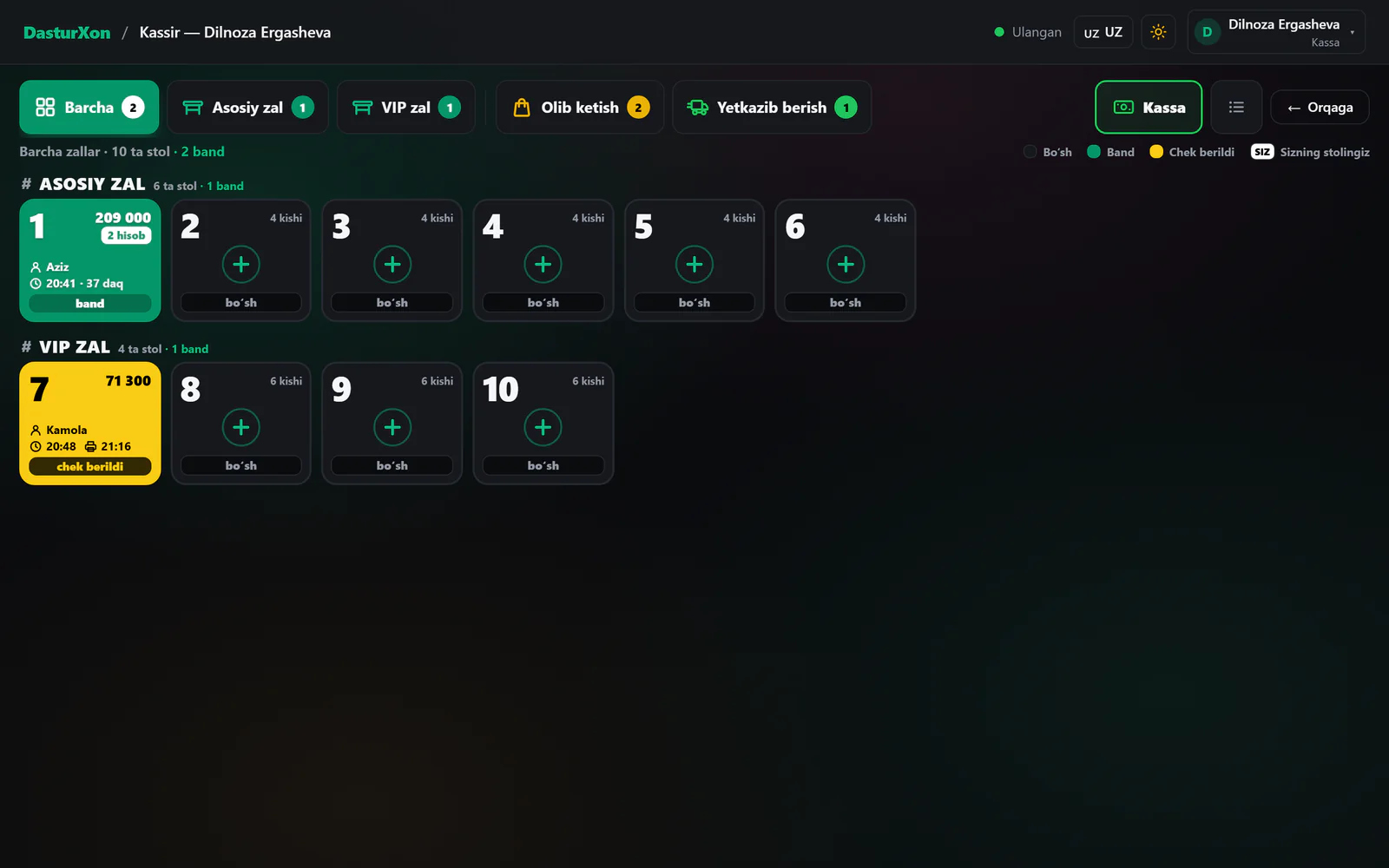
Dining rooms and tables at a glance, several bills per table, discounts and service charge. Accept cash, card, Click and Payme.
Restaurants · Cafés · Fast food · Teahouses
POS, waiters, kitchen, inventory and reports — all in DasturXon. If the internet goes down, work doesn’t stop, and you can keep an eye on your restaurant from anywhere.
Demo PINs: 1111 — waiter, 1234 — cashier, 9999 — admin
Data lives on the restaurant’s computer and syncs to the cloud once the internet is back
A daily report and a database backup, delivered to your Telegram
Cash, card, Click and Payme
No limit on the number of waiter terminals
Features
From the floor to the kitchen, from the till to the storeroom — your team works in one system, under your control.
Dining rooms and tables at a glance, several bills per table, discounts and service charge. Accept cash, card, Click and Payme.
Each waiter logs in on a touchscreen terminal with a personal PIN to take orders and see their own tables and orders. On-screen keyboard included.
Takeaway and delivery orders, a customer database and debt tracking.
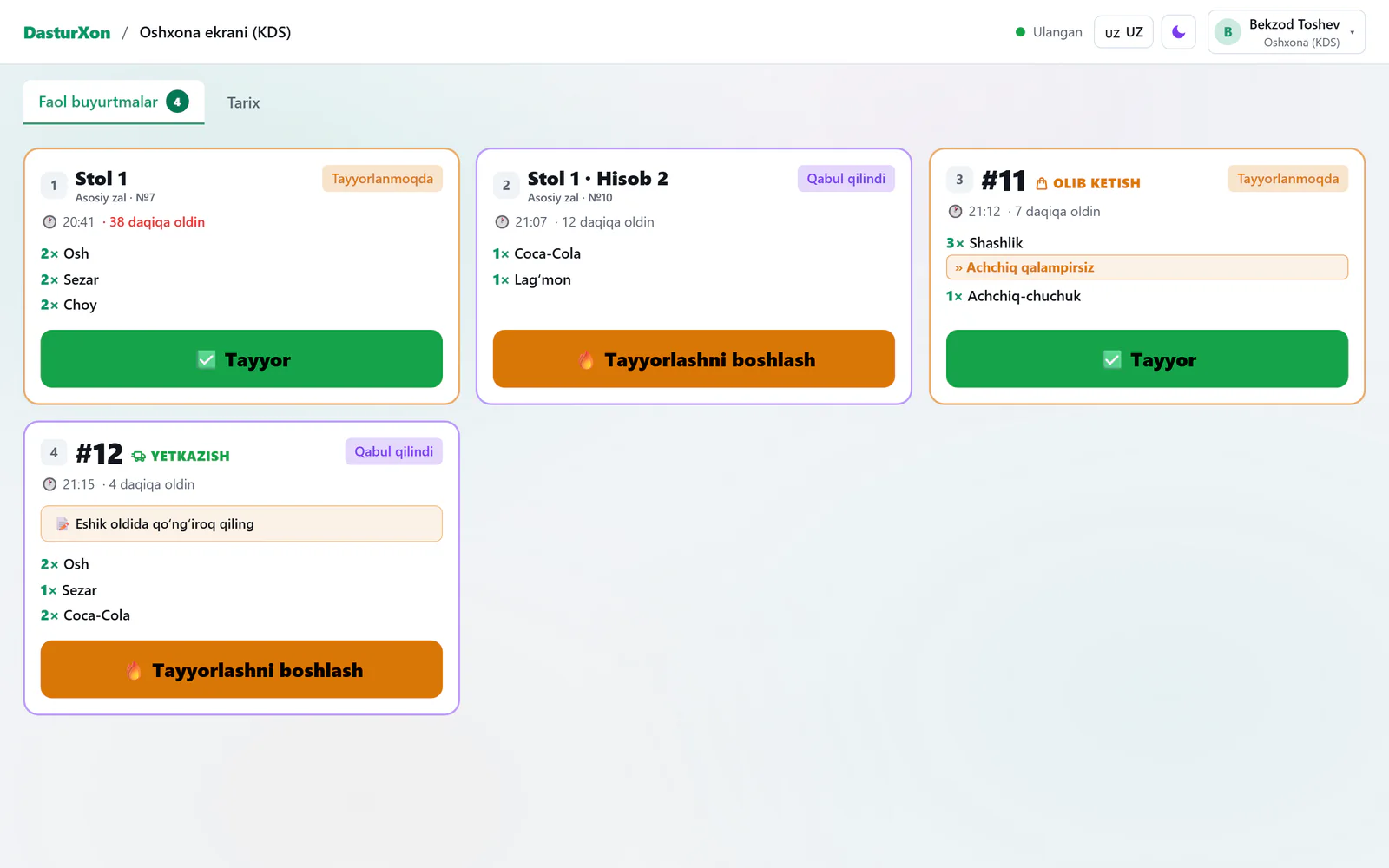
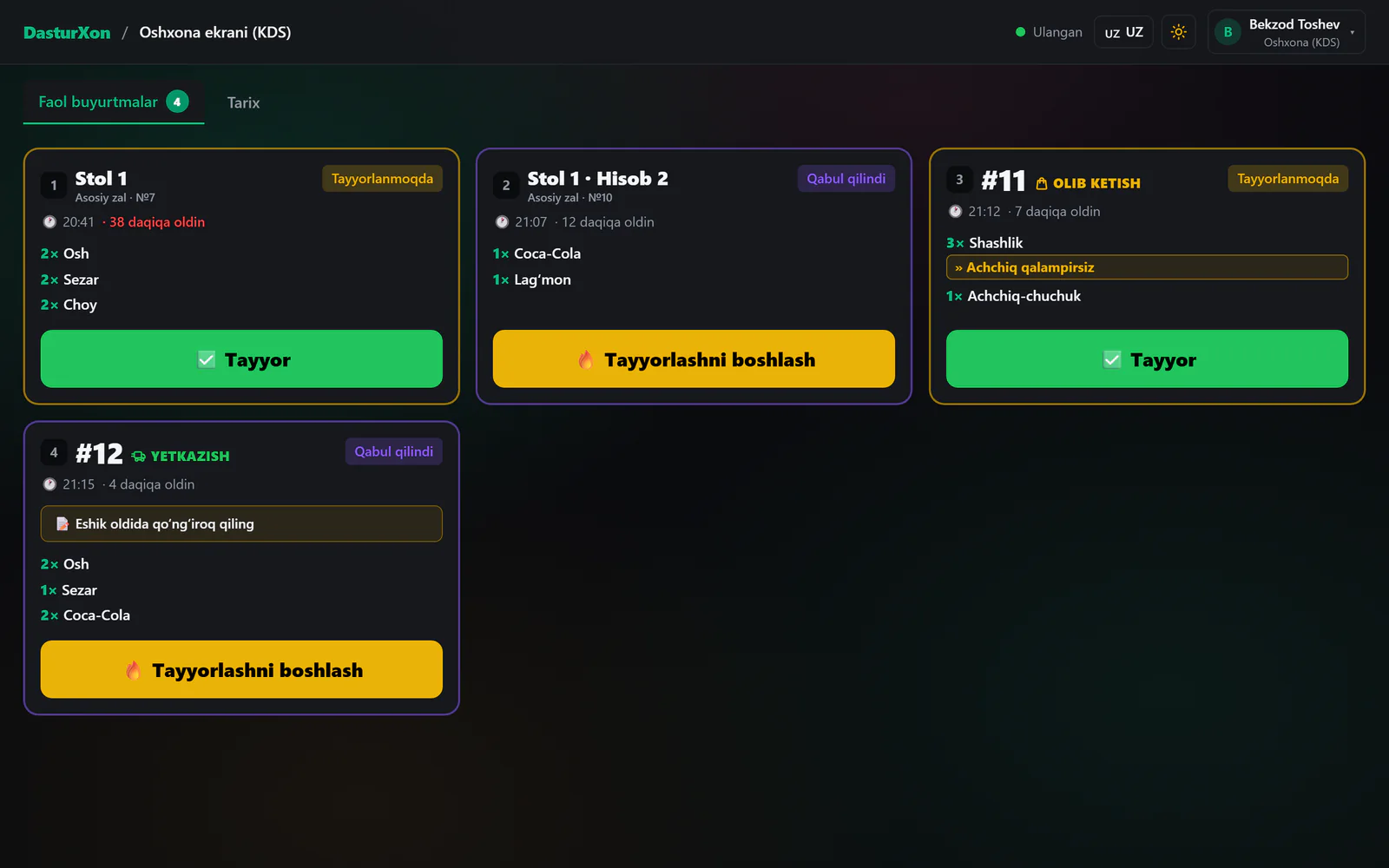
Each dish goes to its station automatically: the ticket prints or appears on the kitchen display. Late orders turn red.
A TV screen for guests showing “Preparing” and “Ready for pickup”, updated in real time.
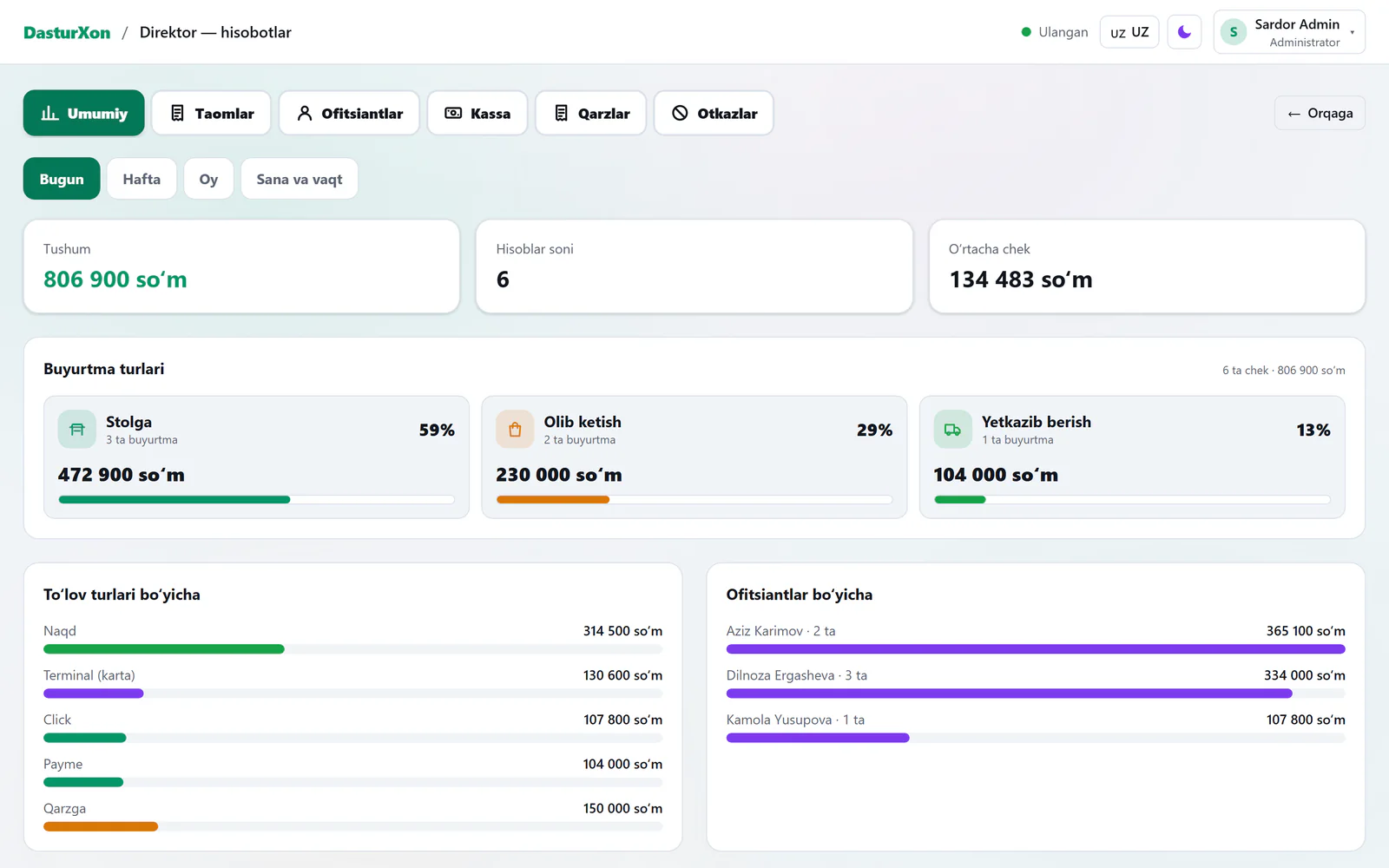
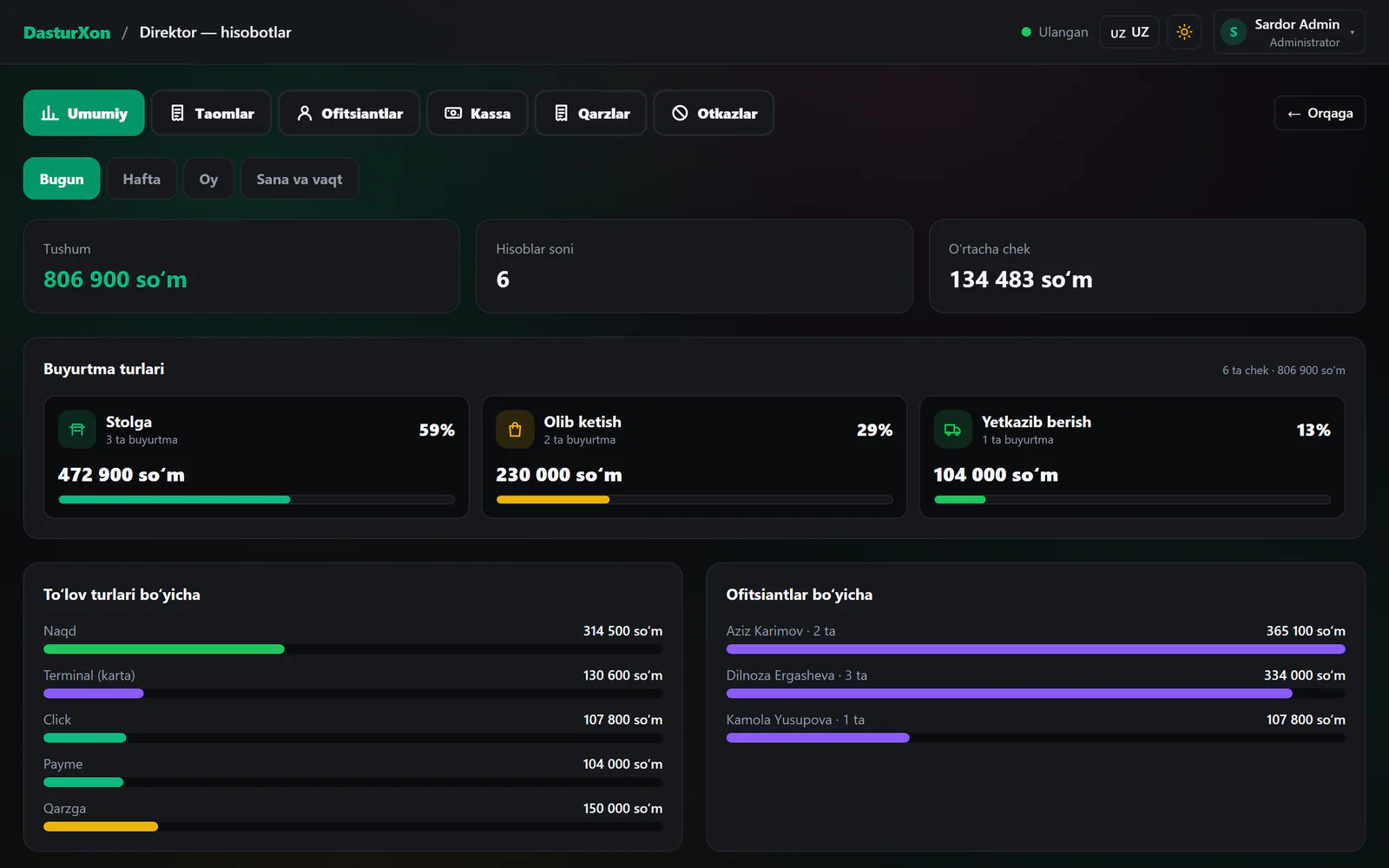
Revenue, payment methods, waiter commissions, best-selling dishes, cash summary, debts and cancellations.
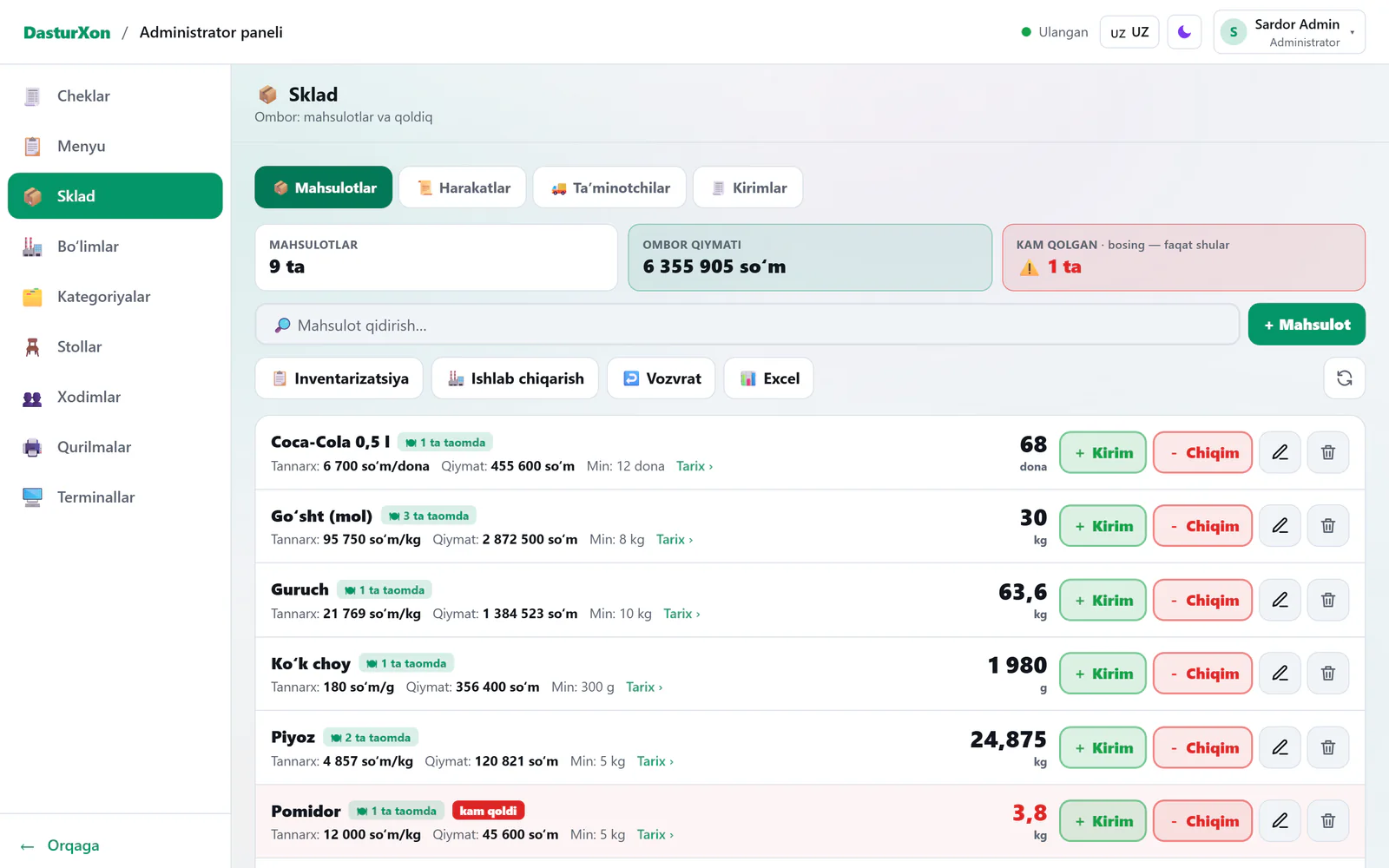
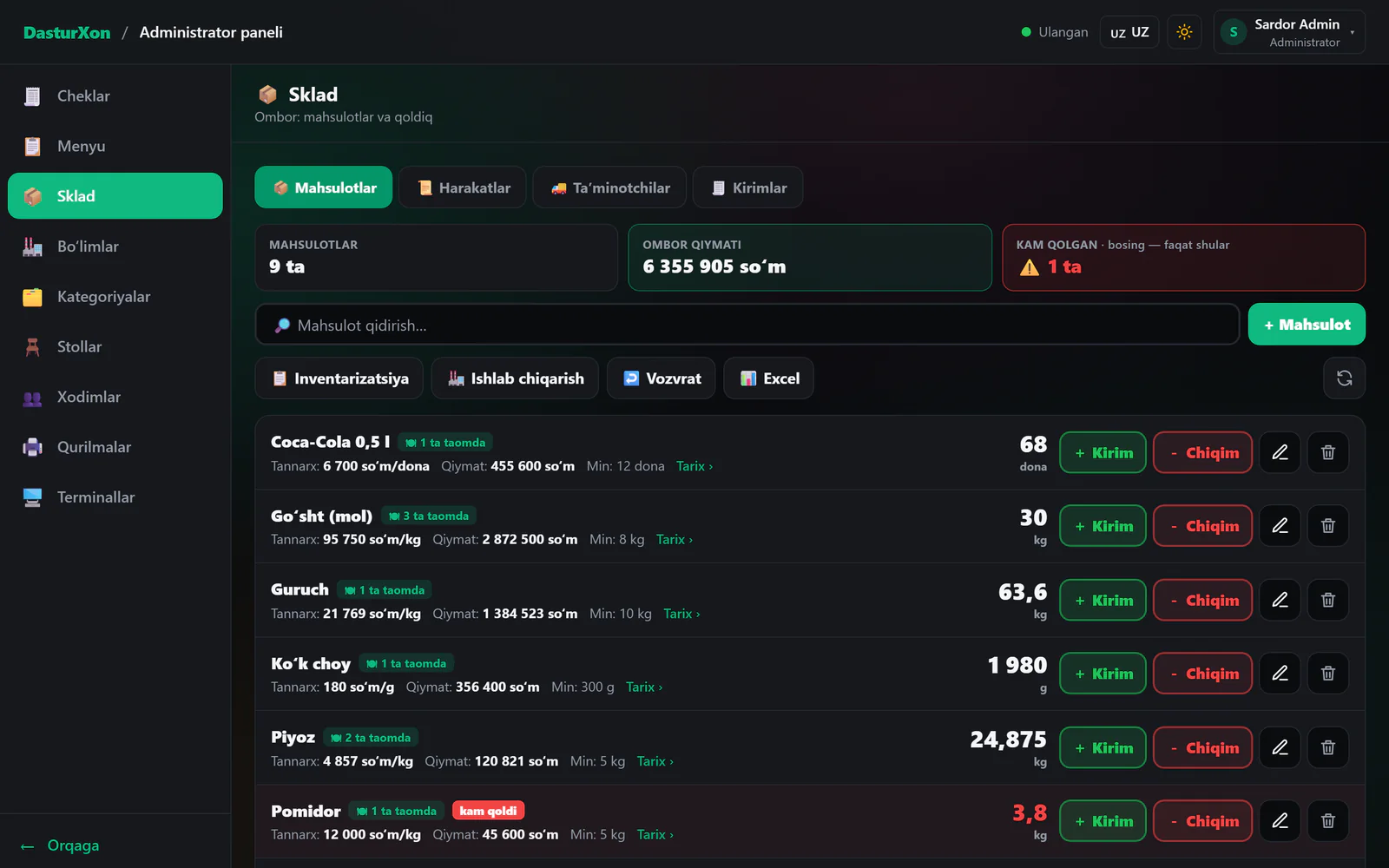
Products, suppliers, stock receipts and recipes. When a dish is sold, its ingredients are deducted from stock automatically, per the recipe. Low-stock alerts, stocktaking and expenses.
Every employee has their own permissions — you decide who can do what. Cancellations stay under control.
For owners
With the owner panel you manage the restaurant from your phone or computer: menu and prices, staff, inventory, settings and reports. Orders and payments stay at the till — nobody can handle money remotely.
Reliability
DasturXon runs on your restaurant’s own computer, so internet quality never slows down the till. When you’re online, all data goes to a secure cloud automatically; when you’re not, it waits in a queue.
Data is stored on your own computer
The copy updates as soon as you’re back online
A daily report and a database backup
How it works
Tell us about your restaurant: dining rooms, tills and printers.
Together we set up the menu, tables, staff and printers.
The till is activated with a one-time code, so the software runs only in your restaurant.
Questions? We’re always a call away.
Pricing
The price depends on the size of your restaurant. Leave a request or call us to get an exact quote.
FAQ
The till keeps working: orders, receipts and payments don’t stop. Data waits in a queue and goes to the cloud as soon as the connection is back. For license checks, the till needs to go online at least once every 30 days.
A Windows 10 or 11 (64-bit) computer for the till, touchscreen all-in-ones for waiters, and ESC/POS thermal printers for the kitchen and bar. We’ll advise you on what fits.
Data is stored on the restaurant’s computer, with a copy in a secure cloud and a daily backup sent to Telegram. Every employee works with their own PIN and permissions.
There’s no limit: terminals connect to the till over the restaurant’s network and don’t need a separate license.
A browser-based dashboard: from your phone or computer you view reports and manage the menu, staff and inventory. There are no orders or payments there — those happen only at the till.
The app interface is in Uzbek (Latin script).
The demo is the real app with sample data. Nothing to install.
Contact
Leave a request and our specialist will contact you with a solution for your restaurant.